
Accessing Your Account
Logging in to an application should be quick and secure when you use the correct account information and keep your device updated. This guide explains general best practices for signing in, protecting your account, recovering access if you forget your password, and resolving common login issues.
Whether you are accessing the application on a new device or returning after an update, following these recommendations can help reduce errors and improve account security.
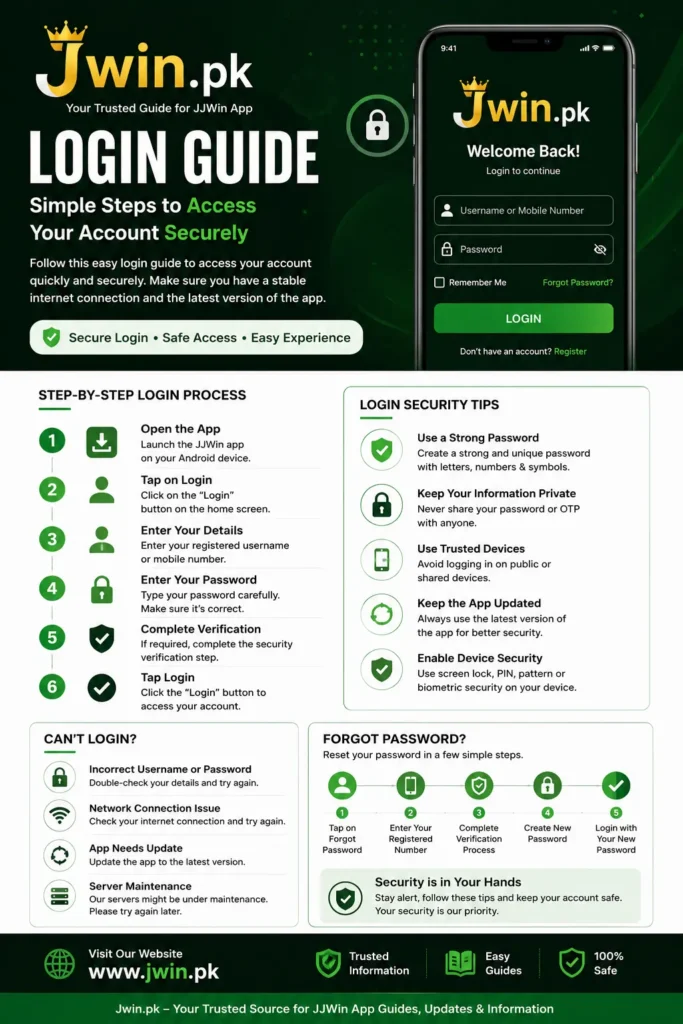
Before You Log In
Before attempting to sign in, take a moment to check the following:
- Make sure your internet connection is stable.
- Confirm that you are using the latest version of the application.
- Verify that you remember the username, email address, or mobile number associated with your account.
- Ensure your device’s date and time are set correctly, as incorrect settings can sometimes interfere with authentication.
Completing these checks can help prevent many common login problems.
Tips for Secure Sign-In
Good account security starts with a few simple habits:
- Create a strong password using a mix of letters, numbers, and symbols.
- Do not reuse passwords that you use on other websites or apps.
- Keep your login credentials private.
- Avoid signing in on public or shared devices whenever possible.
- Lock your device with a PIN, password, or biometric authentication.
These practices help protect your account from unauthorized access.
Recovering Access
If you forget your password or cannot access your account, use the application’s official account recovery option if available.
In general, account recovery involves:
- Selecting the Forgot Password option on the login screen.
- Providing your registered account information.
- Completing the required identity verification.
- Creating a new, strong password.
- Signing in with your updated credentials.
Always choose a password that is unique and difficult to guess.
Common Login Problems
Incorrect Password
Check for typing errors, including accidental spaces or incorrect capitalization. If the problem continues, reset your password using the official recovery process.
Verification Delays
If a verification code does not arrive immediately, wait a few minutes and ensure that your registered contact information is correct. Temporary network delays can affect message delivery.
Network Connection Issues
An unstable internet connection may interrupt the sign-in process. Try switching between Wi-Fi and mobile data or reconnect to your network before trying again.
Outdated Application
Older versions of an app may experience compatibility or security issues. Installing the latest version can often resolve login errors and improve overall performance.
Temporary Service Interruptions
Occasionally, applications may undergo scheduled maintenance. If login is temporarily unavailable, wait a short time and try again later.
Keeping Your Account Secure
After signing in, you can further protect your account by following these recommendations:
- Change your password periodically.
- Do not share verification codes with anyone.
- Review your account information regularly.
- Keep your device’s operating system updated.
- Download application updates only from trusted sources.
Frequently Asked Questions
What should I do if I cannot remember my password?
Use the application’s official password recovery feature and follow the on-screen instructions to reset your password securely.
Why can’t I sign in even though my password is correct?
This can happen because of network problems, outdated software, or temporary service interruptions. Verify your connection, update the app if needed, and try again later.
Is it safe to stay logged in?
On a personal device protected with a screen lock, staying signed in may be convenient. On shared or public devices, always sign out after use.
How can I improve account security?
Use a strong password, keep your software updated, and never share your login credentials or verification codes.
Final Thoughts
Secure account access depends on accurate login information, up-to-date software, and good security habits. By using strong passwords, protecting your personal information, and following the application’s official account recovery process when needed, you can reduce common login issues and keep your account better protected.
 Discover Ideas That Make a Difference